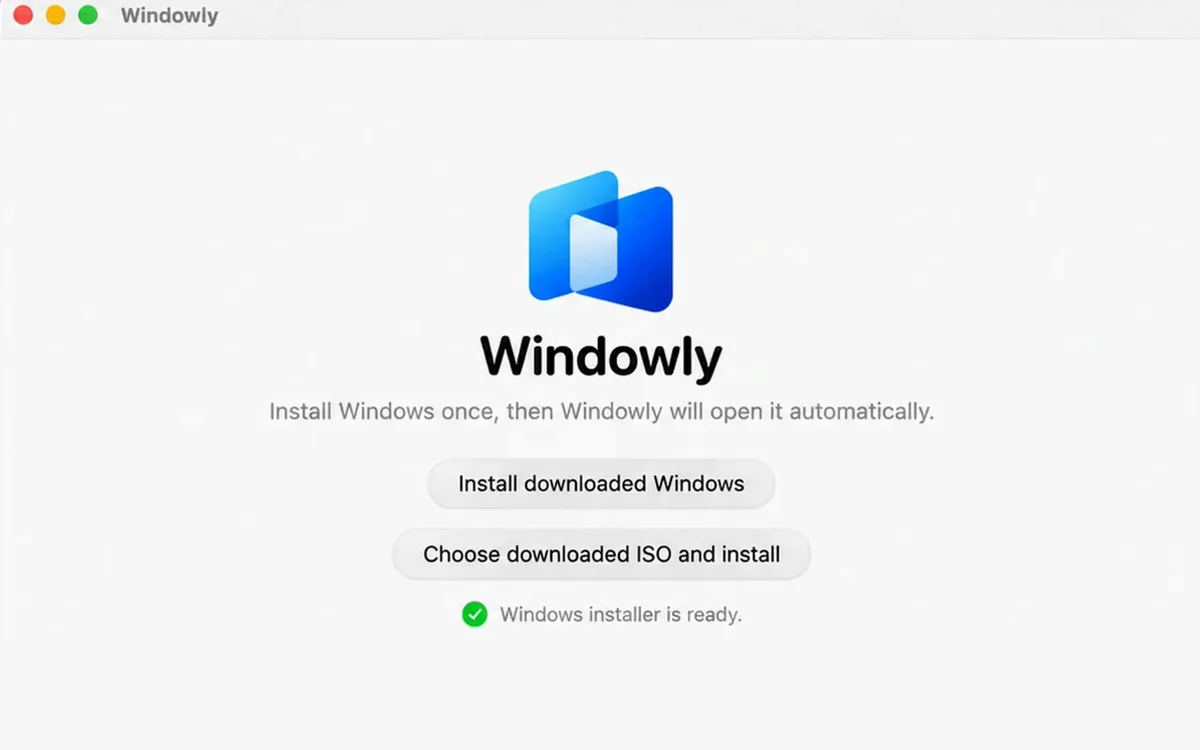
Automatic setup
Windowly installs and configures Windows 11 for you.

Run Windows apps on your Mac in a few clicks. From $1/month.
3 days free · $0 today · then $12/year or $2/month · card required
Apple Silicon · macOS 14+ · your own Windows licence · compatibility varies
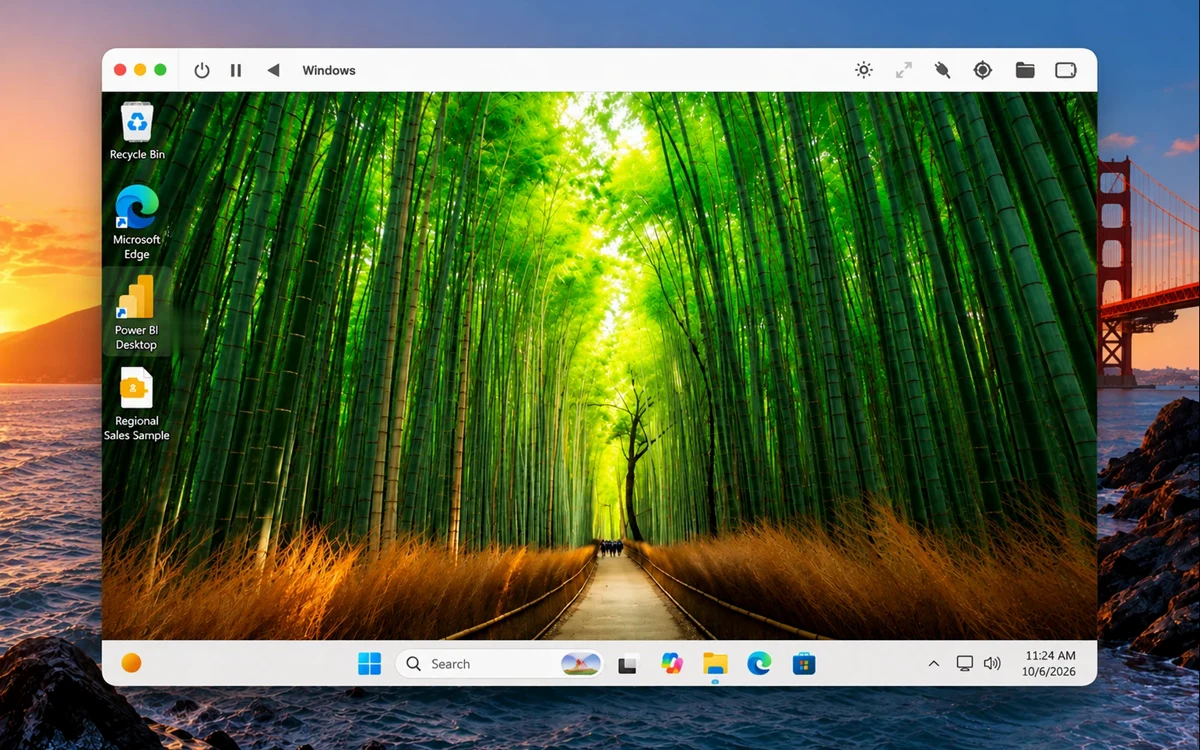
Windows 11 running locally on your Mac
Interactive preview · Nothing is installed
Use Windows apps on your Mac with Windowly
 Power BI
 Microsoft Access
 Microsoft Visio
 Microsoft Project
 QuickBooks Desktop
 SQL Server Management Studio
 Full Windows 11 desktop
 Your Windows app
Compatibility varies. Use the 3-day trial to test your app and workflow.
Why Windowly
Windowly installs and configures Windows 11 for you.
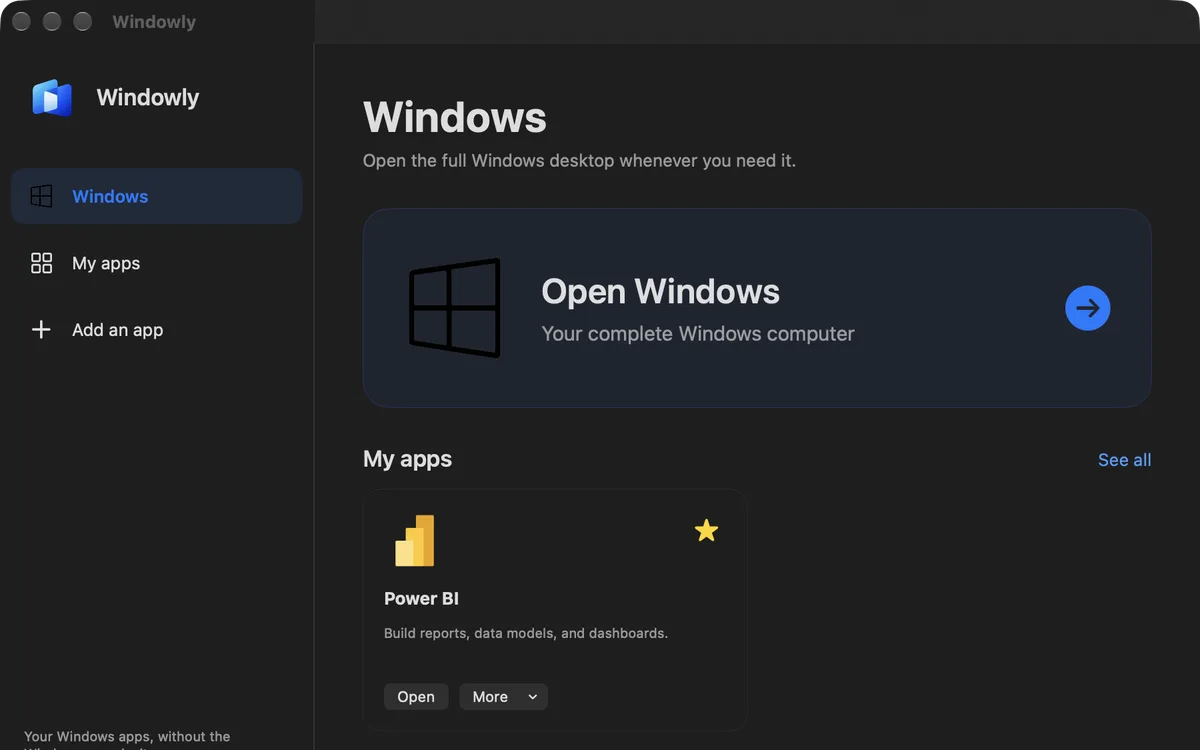
Open Windows and your apps from one simple screen.
Memory and processor power are set based on what you run.
A sharp display and responsive everyday Windows experience.
Designed for Macs with Apple M-series chips.
Windows and your files stay on your Mac—not on a remote server.
How Windowly works
What people are saying
What I like most is that I don’t have to keep changing the performance settings myself. I just open the app I need and Windowly adjusts things for me.
 Business studentCanada
The main screen is really convenient. I added the apps I use and now I don’t have to dig through Windows every time.
 Small business ownerUnited States
I mainly needed Microsoft Project on my Mac. Windowly was straightforward to set up, and now I can open the project files I use for work without switching computers.
 Project managerFrance
I use Power BI through Windowly and so far it’s been working really well. Reports open normally and I haven’t noticed any slowdown.
 Business analystUnited Kingdom
Microsoft Access runs smoothly for me. Setup was easier than I expected, and so far I’m happy with it.
 Operations coordinatorGermany
Windowly sets up and manages a real Windows 11 ARM virtual machine locally on your Apple Silicon Mac. Windows can run many x64 applications through its own compatibility layer.
Yes. Windowly does not provide a Microsoft Windows licence or licences for third-party applications.
Windowly supports Apple Silicon Macs running macOS 14 or later. We recommend 16 GB of memory and 60 GB of free storage. Intel Macs are not supported.
Not every application is guaranteed to work with Windows 11 ARM. Compatibility and performance depend on the app, Mac model, memory and workload. Use the 3-day trial to test your own workflow.
Yes. Cancel online through the secure Stripe customer portal.
Try your own apps before you pay.
Try Windowly free3 days free · $0 today · then $12/year or $2/month · card required · cancel anytime
Apple Silicon · macOS 14+ · your own Windows licence · compatibility varies