Run Windows on your Mac. Free.
Start using Windows and the apps you need, on the Mac you love.
Three steps to Windows on your Mac.
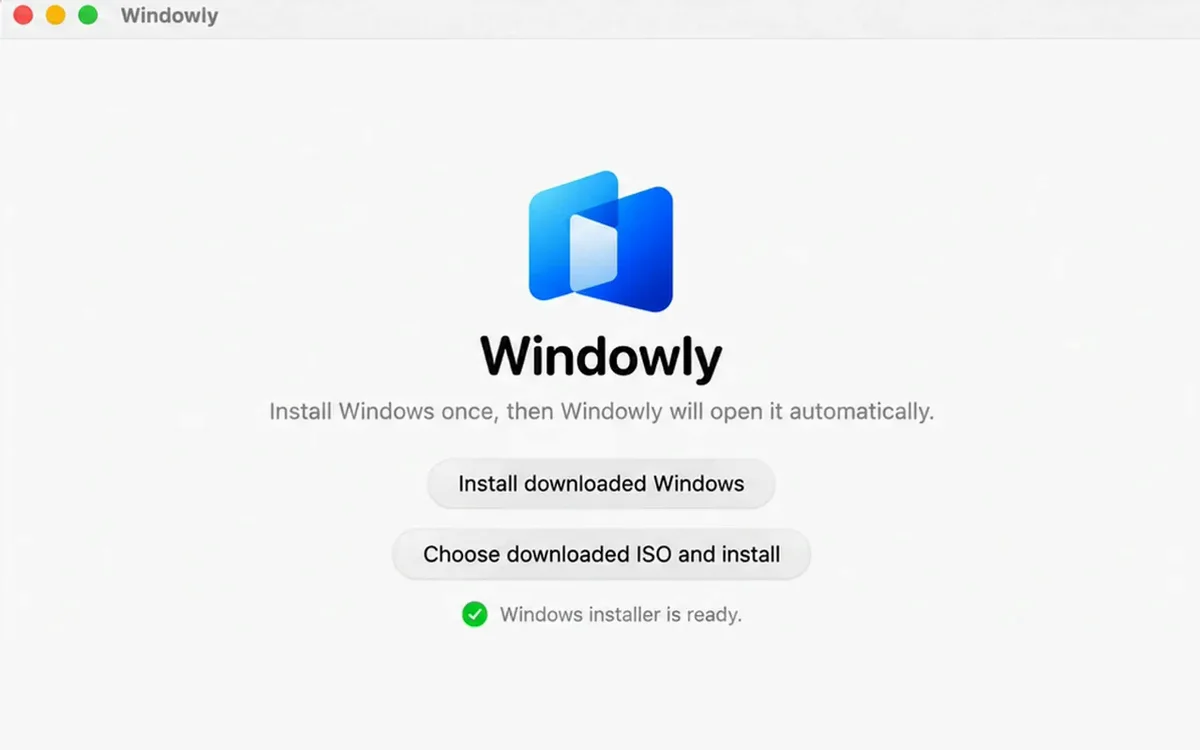
Install Windowly
Download Windowly. It gets Windows 11 from Microsoft’s official website and sets it up for you.
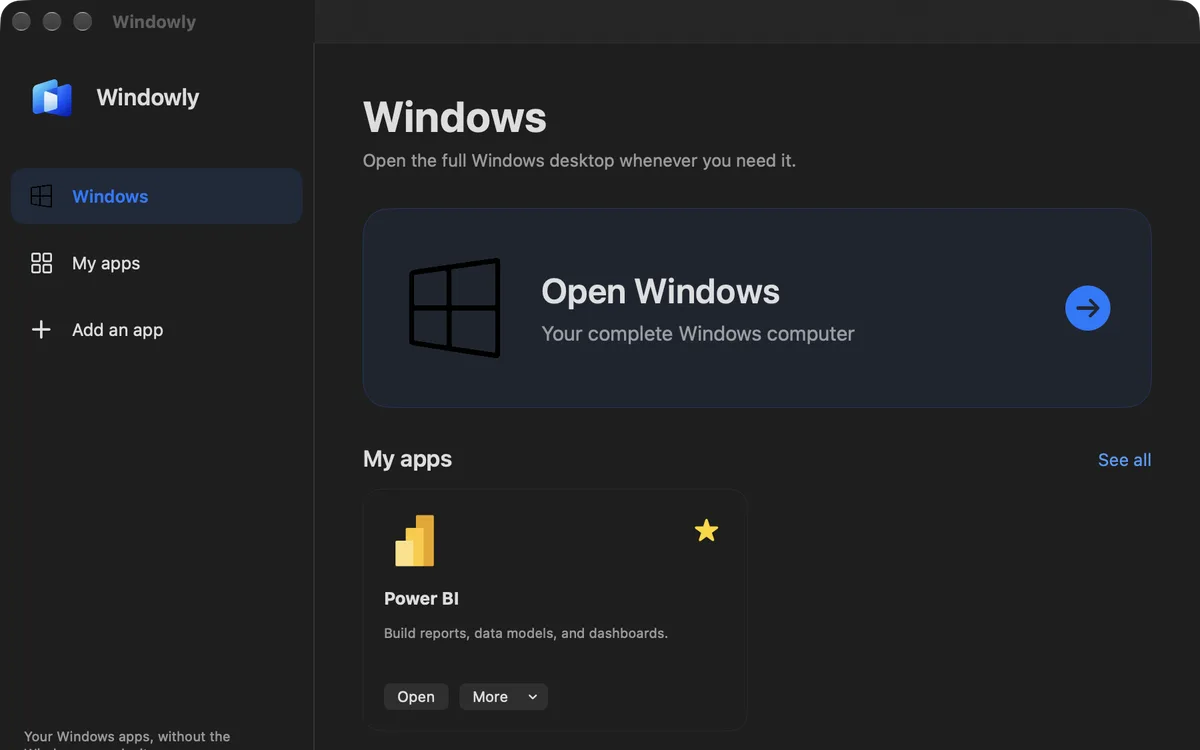
Add the apps you need
Choose them from the catalog and keep them together in My apps.
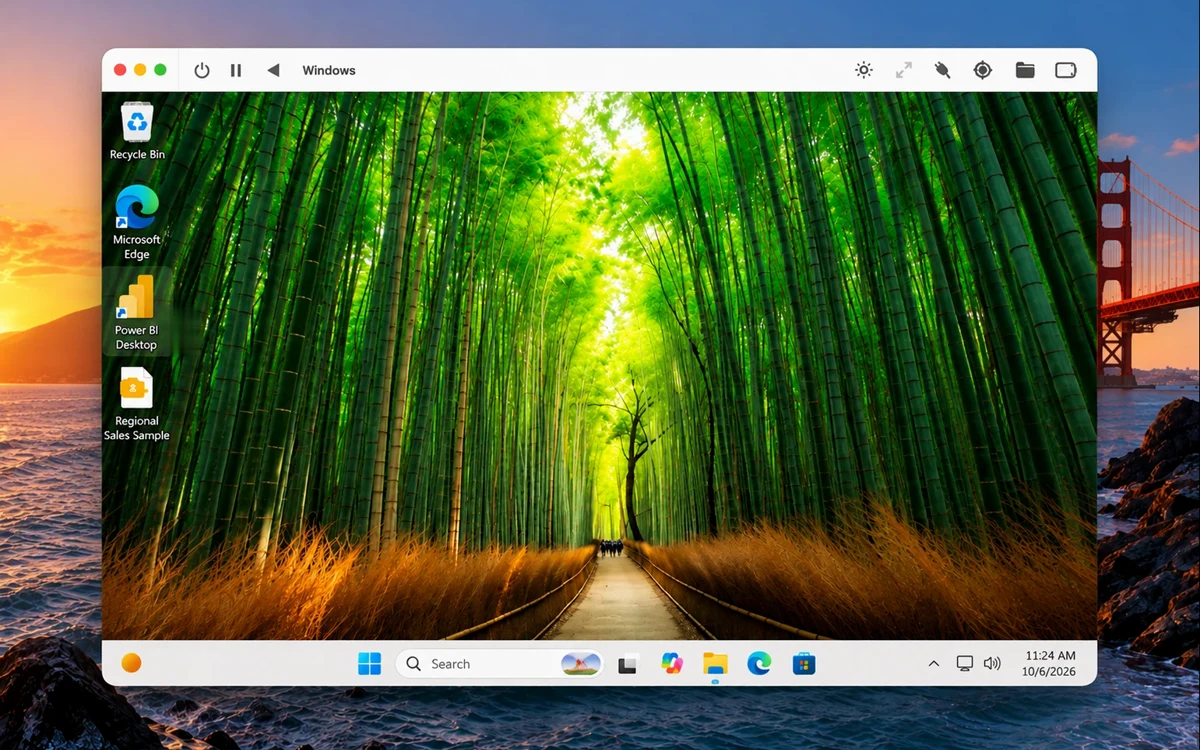
Start using Windows
Open the full Windows desktop or your apps. Enter your Windows licence key inside Windows.
What can you do with Windows on your Mac?
Run Windows-only software
Power BI, Access, Visio, Project, QuickBooks and more.
Move files easily
Drag and drop files between your Mac and Windows, or open them from shared folders.
Use Windows like on a PC
Start menu, taskbar, File Explorer and Settings, all in one window on your Mac.





Why Windowly?
Fast and simple setup
Windowly downloads, installs and configures Windows 11 for you. No tech skills needed.
Easy to manage
Open Windows or any of your apps from one simple screen. Add new apps in a click.
Private and secure
No cloud, no remote server. Windows and your files stay on your Mac.
Performance that adapts
Windowly sets memory and processor power for you, based on what you run. Nothing to configure.
Sharp, clear screen
Text and apps look crisp at your Mac’s resolution.
Easy file sharing
Drag and drop files between your Mac and Windows, or use shared folders.
Made for everyday use
What people are saying.
A few ways people use Windows apps on their Mac.
What I like most is that I don’t have to keep changing the performance settings myself. I just open the app I need and Windowly adjusts things for me.
 Business studentCanada
The main screen is really convenient. I added the apps I use and now I don’t have to dig through Windows every time.
 Small business ownerUnited States
I mainly needed Microsoft Project on my Mac. Windowly was straightforward to set up, and now I can open the project files I use for work without switching computers.
 Project managerFrance
I use Power BI through Windowly and so far it’s been working really well. Reports open normally and I haven’t noticed any slowdown.
 Business analystUnited Kingdom
Microsoft Access runs smoothly for me. Setup was easier than I expected, and so far I’m happy with it.
 Operations coordinatorGermany
Run Windows on your Mac free.
Download Windowly, enter your email and start. It is free: no card, no subscription.
Download freeQuestions before installing?
Do I need a Windows licence?
Yes. Windowly does not sell or provide a Microsoft Windows licence. You are responsible for obtaining a valid Windows licence and licences for any third-party software you install. You enter your licence key inside Windows.
Will it work on my Mac?
Yes, on an Apple Silicon Mac (M1 or newer) running macOS 14 or later. Intel Macs are not supported. We recommend 16 GB of memory (8 GB for light use) and 60 GB of free disk space. Compatibility and performance vary by Mac model, memory, storage, macOS version and application.
Will every app work?
Not every app is guaranteed to work. The Windows inside Windowly is the ARM edition (Windows 11 ARM), so an app needs to run on Windows 11 ARM, natively or through its x64 emulation. App licences are not included, and performance varies by hardware and workload. Use Windowly free to test your app.
Can I access my files from both macOS and Windows?
Yes. Windowly sets up shared folders so you can open Windows files from your Mac, access Mac files from Windows, and drag files between them.
Do I have to stop using my other Mac apps?
No. Windowly is a regular Mac app that opens in its own window. Hide it, minimize it, or switch away with Cmd+Tab like any other app, and keep using Safari, Mail, or anything else on your Mac at the same time. Windows keeps running in the background until you switch back.
Does it work for games and 3D?
Everyday programs, documents, dashboards and simple maps work well. 3D is drawn by your Mac’s processor, not its graphics chip, so heavy 3D scenes and games can be slow. Test your own project with Windowly free.
How many Macs can I use?
One email works on 2 Macs at a time. To use it on another Mac, sign out one of them when you activate — up to 3 times in 30 days.
Is Windowly really free?
Yes. Download Windowly, enter your email and the 6-digit code we send you, and start. No card, no subscription, nothing is charged. Windowly checks access online and keeps working offline for up to 3 days.
Ready to use Windows on your Mac?
Download free. No card, no subscription.
Download free